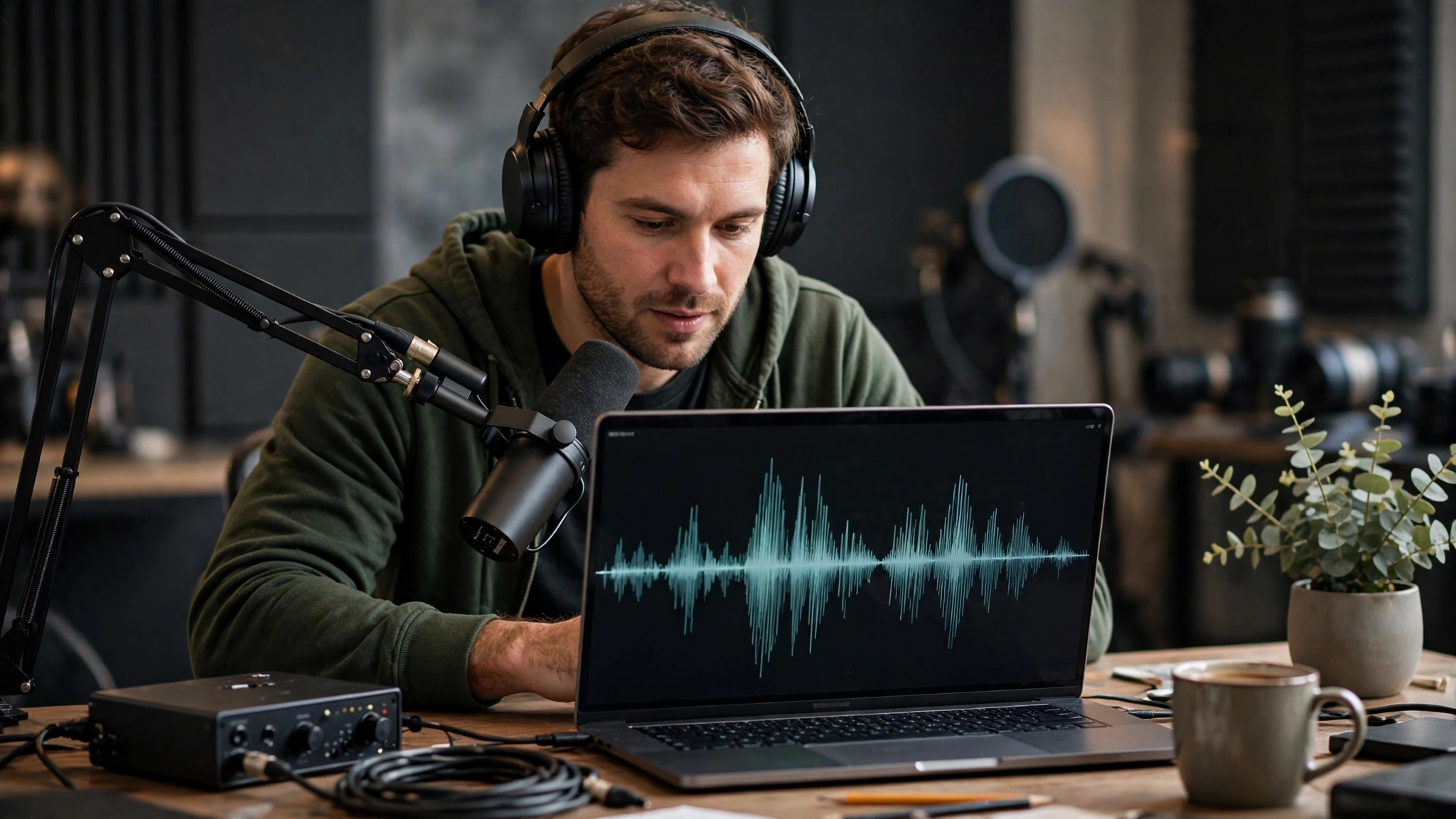
Free AI voice apps have moved from a fun experiment to a normal part of how videos, podcasts and short clips get made. As of November 2026, a creator with a laptop and a decent script can produce a clean AI voiceover in minutes, without booking a studio or paying a narrator. That shift is real. So is the confusion that comes with it.
Almost every tool calls itself free, and the fine print often tells a different story. Some apps give you about ten minutes of audio a month. Others let you listen but never download. A few offer generous limits but quietly block commercial use, which matters the moment your YouTube channel is monetized or a client pays for the work.
This report looks at 15 free AI voice apps that content creators are actually using right now. For each one, we cover what the free plan includes, where it falls short and the kind of creator it suits best. You will find picks for YouTubers, podcasters, TikTok and Reels editors, course creators and developers who prefer open-source tools.
We also walk through how to choose the right free AI voice generator for your workflow, what to check before you publish and how to use voice cloning responsibly. The goal is simple: help you get a natural, realistic AI voice without surprise paywalls or licensing headaches. If you have ever lost an afternoon testing tools that turned out to be paid trials in disguise, this guide is meant to save you that time.
Why Free AI Voice Apps Matter for Content Creators
Voice quality used to be the giveaway. Older text to speech tools sounded flat and robotic, so most creators recorded themselves or skipped narration entirely. That gap has mostly closed. Today’s AI text to speech models handle pauses, emphasis and even laughter or whispers through simple tags typed into the script.
For content creators, that opens up a few practical wins:
- Speed: You can fix a single wrong word by editing text instead of re-recording a whole take.
- Consistency: The same voice sounds identical across 50 videos, which helps faceless channels build a recognizable style.
- Reach: Many tools support dozens of languages, so one script can become a Spanish, Hindi or Arabic version in an afternoon.
- Cost: A free plan lets you test ideas before you commit money to a subscription.
There is a catch. Free tiers are built to get you hooked, not to run a full channel. Limits are measured in characters, credits or minutes, and each company counts differently. That is why comparing free AI voice apps side by side is worth the effort. The right pick depends less on which voice sounds best in a demo and more on what you are allowed to do with the audio afterward.
What “Free” Usually Means
In practice, free plans fall into four groups:
- Monthly credits: A small allowance that resets each month, common with premium AI voice generator platforms.
- One-time trial credits: A fixed amount that never refills once spent.
- Listen-only access: You can hear the result but cannot export a file.
- Truly free tools: Open-source models or browser features with no usage cap, usually with some setup or format trade-offs.
Knowing which group a tool falls into tells you more than its marketing page ever will.


The 15 Best Free AI Voice Apps for Content Creators Right Now
The list below mixes premium platforms with generous free tiers, video editors with built-in voices and fully open-source options. Free plan details reflect what each company offered as of late 2026, so check the pricing page before you build a workflow around any one tool.
1. ElevenLabs: Best for Realistic AI Voiceovers
ElevenLabs is still the benchmark many creators use to judge realistic AI voices. Its expressive model reads audio tags like [whispers] or [laughs] and changes the delivery to match, while its multilingual model is steadier for long narration. The platform supports more than 70 languages and also offers sound effects and voice design.
- Free plan: 10,000 credits a month, roughly 10 minutes of audio.
- Watch out for: No commercial license on the free tier, attribution is required when you share, and voice cloning is locked.
- Upgrade path: The Starter plan at about $6 a month adds commercial rights and instant cloning.
- Best for: Storytelling channels, audiobook samples and creators who care most about natural delivery.
2. TTSMaker: Best Free Plan for Commercial Use
TTSMaker is one of the few free text to speech tools that lets you use the audio commercially without paying or crediting the service. It offers more than 600 voices across 100+ languages, plus speed, pitch and pause controls and a multi-speaker mode for dialogue.
- Free plan: 20,000 characters a week, with some marked voices that do not count against the limit.
- Watch out for: Around 1,000 characters per conversion on default voices, a CAPTCHA before each run, peak-time queues and files deleted after 30 minutes.
- Best for: Monetized YouTube channels and short ads that need text to speech for YouTube with no licensing worries.
3. CapCut: Best for Short-Form Video Editors
CapCut puts text to speech right inside a video editor, which is why it is so popular with TikTok, Shorts and Reels creators. You type captions, pick a voice and the narration drops onto your timeline, ready to sync with clips and auto-generated subtitles.
- Free plan: Built-in AI voices and voice effects inside the free editor, with premium voices and some exports tied to a Pro plan.
- Watch out for: Feature availability varies by region and app version, and the strongest voices may require a subscription.
- Best for: Fast social videos where editing and AI voiceover happen in one place.
4. Descript: Best for Podcasters and Video Editors
Descript lets you edit audio by editing a transcript. Delete a word from the text and it disappears from the recording. Its AI voices, Regenerate feature and voice cloning live inside the same editor, so you can patch a flubbed line without re-recording.
- Free plan: 60 minutes of media a month and 100 AI credits that are granted once, not monthly.
- Watch out for: Free video exports are 720p with a watermark, apart from one clean export a month.
- Upgrade path: Hobbyist runs about $24 a month, or $16 billed yearly.
- Best for: Podcasters and YouTubers who already edit spoken content.
5. Murf AI: Best Editor for Polished Narration
Murf is built around a full voiceover studio with more than 200 voices. Its pronunciation library remembers how to say brand names and technical terms, and it plugs into Canva, PowerPoint and Google Slides.
- Free plan: 10 minutes of generation in total, not per month.
- Watch out for: You cannot download audio or use it commercially on the free tier.
- Upgrade path: Creator is about $29 a month, or $19 billed yearly.
- Best for: Testing scripts for training videos and explainers before committing to a paid plan.
6. Fish Audio: Best for Voice Variety
Fish Audio stands out for its community library of more than 2 million voices. If you need something specific, like an older British narrator or a gravelly trailer voice, someone has probably uploaded it. Emotion tags such as [angry] or [whispering] shift the delivery mid-sentence.
- Free plan: 8,000 credits a month, roughly 7 minutes of audio, plus basic voice cloning.
- Watch out for: Personal, non-commercial use only, a 500-character cap per generation and uneven quality across community voices.
- Upgrade path: Plus costs about $15 a month and allows commercial use with verified voices you own.
- Best for: Experimenting with styles and characters for personal projects.
7. WellSaid: Best for Studio-Quality English Narration
WellSaid builds its voices from consented recordings of real voice actors. The result sounds like a professional narrator and stays steady across long scripts, which is exactly what training and course content needs.
- Free plan: 10 minutes of generation and 3 minutes of MP3 downloads each month, no card required.
- Watch out for: No commercial rights on free downloads, and English only outside the enterprise tier.
- Upgrade path: Starter is about $19 a month, or $10 billed yearly.
- Best for: Course creators and e-learning teams testing a professional AI narration style.
8. Chatterbox: Best Open-Source Option
Chatterbox is an open-source AI voice generator from Resemble AI that runs on your own machine. Install it with a single pip command and you get unlimited generation, zero-shot voice cloning from a short clip and a multilingual model covering 23 languages. Every clip carries an inaudible watermark so the audio can be identified as AI-made. You can review the code on the official Chatterbox GitHub repository.
- Free plan: Unlimited, released under the MIT license, so personal and commercial use are both allowed.
- Watch out for: You need Python, some command-line comfort and ideally a GPU for fast results.
- Best for: Technical creators who want full control and no recurring costs.
9. Google Cloud Text-to-Speech: Best for High-Volume Creators and Developers
Google’s API turns text into audio from code, which makes it ideal for automated channels or apps. Its newer Chirp 3 HD voices sound far more natural than the older standard voices. The full list of voices and models is in the Google Cloud Text-to-Speech documentation.
- Free plan: Up to 4 million characters a month for Standard and WaveNet voices, and 1 million for Neural2, Studio and Chirp 3 HD voices.
- Watch out for: Billing must be enabled even for free usage, and charges start automatically once you pass the limit, so set a budget alert.
- Best for: Developers and creators producing large batches of narration through scripts.
10. Speechify: Best for Reviewing Scripts by Ear
Speechify is mainly a reader. It turns PDFs, articles and drafts into audio, which helps you catch awkward phrasing in a script before you record or generate a final voiceover. It runs on iOS, Android, Mac, Windows and as a browser extension.
- Free plan: Unlimited listening with 10 basic voices at up to 1.5x speed.
- Watch out for: Free voices sound robotic and you cannot export files. Downloadable voiceovers require the separate Speechify Studio product, which starts around $19 a month.
- Best for: Writers who want to proofread scripts on the go.
11. Microsoft Clipchamp: Best for Windows Users
Clipchamp is Microsoft’s browser-based video editor, and it comes bundled with Windows. Its text to speech feature lets you pick a language, voice and speed, then drops the narration straight onto your timeline next to stock footage and templates.
- Free plan: Text to speech is available in the free editor, along with basic exports.
- Watch out for: Premium stock assets, some brand tools and higher-end features sit behind a paid plan.
- Best for: Beginners making tutorials, slideshows and simple YouTube videos without installing extra software.
12. Canva: Best for Designers Adding Voice to Visuals
Canva lets you add AI voiceovers to presentations, social posts and short videos through its built-in and app-based text to speech options. For creators who already design thumbnails and carousels in Canva, it keeps audio in the same workspace.
- Free plan: Access to text to speech through Canva’s apps, with usage limits that vary by app.
- Watch out for: Voice quality and limits depend on which app you choose, and some require a separate account.
- Best for: Social media managers and designers who want quick narration on visual content.
13. LOVO AI (Genny): Best Voice and Video Combo
Genny pairs an AI voice generator with a simple video editor, so you can write a script, choose from hundreds of voices and adjust emotion and emphasis in one place. It also offers AI scriptwriting and subtitle tools.
- Free plan: A limited amount of voice generation to try the platform.
- Watch out for: Downloads, commercial rights and cloning are tied to paid tiers, so confirm the license before publishing.
- Best for: Marketers and creators who want voice, captions and edits under one roof.
14. Fliki: Best for Turning Text Into Videos
Fliki converts blog posts, scripts and even URLs into narrated videos using AI voices and stock media. It is a popular choice for repurposing written content into YouTube or social clips.
- Free plan: A small monthly allowance of video minutes with a watermark.
- Watch out for: Premium voices, watermark removal and commercial use require a paid plan.
- Best for: Bloggers and faceless channels that repurpose articles into AI voiceover videos.
15. Microsoft Edge Read Aloud: Best Completely Free Listening Tool
Edge Read Aloud is built into the Edge browser and uses Microsoft’s neural voices to read webpages and PDFs out loud. It highlights each word as it reads and works on desktop and mobile.
- Free plan: Unlimited and free, with no account needed.
- Watch out for: There is no way to save or export audio, and most voices need an internet connection.
- Best for: Listening back to research, drafts and scripts while you multitask.
Quick Comparison of the Free Tiers
| App | Free allowance | Download on free plan | Commercial use on free plan |
|---|---|---|---|
| ElevenLabs | About 10 min/month | Yes | No, attribution required |
| TTSMaker | 20,000 characters/week | Yes | Yes |
| Descript | 60 min media/month, 100 one-time AI credits | Yes, watermarked video | Check terms |
| Murf AI | 10 min total | No | No |
| Fish Audio | About 7 min/month | Yes | No |
| WellSaid | 3 min downloads/month | Yes, MP3 | No |
| Chatterbox | Unlimited (runs locally) | Yes | Yes, MIT license |
| Google Cloud TTS | Up to 4M characters/month | Yes, via API | Check terms |
| Speechify | Unlimited listening | No | Not applicable |
| Edge Read Aloud | Unlimited listening | No | Not applicable |
CapCut, Clipchamp, Canva, Genny and Fliki change their free tiers often, so check each pricing page for current numbers.
How to Choose the Right Free AI Voice Apps for Your Content
The best tool on paper is not always the best tool for your channel. Before you settle on one of these free AI voice apps, run through a few practical checks.
Match the Tool to Your Format
- YouTube and faceless channels: Start with TTSMaker for commercial-safe audio, then compare ElevenLabs if delivery matters most.
- Shorts, TikTok and Reels: CapCut and Clipchamp keep voice and editing in one place.
- Podcasts: Descript is hard to beat for fixing mistakes by typing.
- Courses and training: WellSaid and Murf deliver the steadiest professional tone.
- Automation and apps: Google Cloud TTS and Chatterbox scale without monthly minute caps.
Check Commercial Rights First
This is the step most creators skip. Free to generate does not mean free to publish. ElevenLabs, Murf, Fish Audio and WellSaid all restrict commercial use on their free plans, which rules them out for monetized videos, sponsored posts and client work. Search each tool’s terms for the words “commercial” and “attribution” before you upload anything.
Do the Minute Math
One 8-minute video a week adds up to about 32 minutes of narration a month, and that is before retakes. That is roughly three times the ElevenLabs free allowance. Work out your real monthly need, then compare every free tier against that number.
Test With Your Own Script
Demo lines are picked because they sound good. Write a 100-word sample that includes a brand name, a number and a question, then run it through two or three tools. Five minutes of side-by-side listening will tell you more than any review.
Use Voice Cloning Responsibly
Only clone a voice you own or have written permission to use. Many platforms now watermark AI audio, and audiences increasingly expect a quick disclosure when narration is synthetic. A short line in your description is usually enough and builds trust with viewers.
Conclusion
Free AI voice apps give content creators a real shot at professional narration without a studio budget, but the right choice comes down to what you need the audio to do. ElevenLabs and WellSaid lead on realism, TTSMaker and Chatterbox are the safest bets for commercial use at zero cost, CapCut, Clipchamp and Fliki suit fast social video, Descript fits podcasters, and Google Cloud TTS handles volume for technical creators. Before you commit, test your own script on two or three tools, do the math on your monthly minutes, confirm the license allows the way you plan to publish and disclose AI narration when it matters, so the free AI voice generator you pick today keeps working for your channel as it grows.